AI Camp for Web Designers
Offload busywork and bring your boldest design ideas to life with simple AI systems

Turn repetitive tasks into reusable workflows, make space for the work that needs your expert eye, and move your boldest design ideas forward. No matter which website platform you use, you'll walk away with a done-for-you library of AI systems to simplify your process and amplify your web projects along with the intuition to build more of your own.
Is this you, too?
You’re a multilayered designer, used to wearing more than one hat in your business. Now AI has entered the room, and you’re figuring out if & where it fits into the way you work.
-

You’re curious about AI, but you don’t want it to take over the creative direction that makes your work stand out
You want AI to speed up certain tasks and explore new ideas without replacing the strategic thinking, vision & perspective you love bringing to your designs.
-
There’s so much changing with AI, so fast, that it’s hard to know what’s worth learning.
There’s a new tool popping up every week, and you don’t want to spend your time learning something you’ll only have to relearn as the next shiny tool comes along.
-
You know AI could help you bring cool and fun website features to life; but you’re not sure of how complex that will be
You can picture a quiz, cool widget, or playful interaction that brings a site to life. But adding another tool to maintain, or handing off a fragile feature to a client can make the idea feel more stressful than exciting.
-

You’ve experimented with AI, but it’s still not a repeatable part of your workflow.
A prompt here, some code troubleshooting there have proven useful in the moment, but those one-off wins haven’t yet become something you can reliably carry into your next project
The truth is
There’s a way to use AI that honors your craft, expands what you can create, and keeps you in control.

You don’t have to give up your creative direction, chase every new tool, or build a complicated stack to use AI well. You can use it to make repeatable work lighter, explore new directions, and create thoughtful interactive experiences within website platforms you already love and trust.
Meet your Virtual Playground
DESIGN
FORWARD
Oct 10 - Nov 10
A four-week virtual camp with self-paced lessons, personalized support, done-for-you systems, optional live calls, and lifetime access to the learning library.
Each week, you’ll receive a focused set of short, pre-recorded lessons you can watch at your own pace. You’ll build an essential foundation for working with AI, then get step-by-step guidance to put our library of done-for-you systems into practice; customizing them for your needs and creating simple systems of your own as you go. You’ll move through the experience alongside a community of fellow participants, with space to ask questions, share progress, and learn from one another throughout the camp
Every Saturday, you’re invited to an optional one-hour live call for questions, insights, and group discussion. Every call is recorded and shared as a replay.
After the four-week camp, you’ll retain lifetime access to all course lessons, library of resources, and live-call replays. Community discussions and personalized support are available during the active camp period only.
what you’ll accomplish
Set-up the systems to move your design business forward
01
Turn repetitive tasks into reusable systems
Set up and customize done-for-you AI systems for your web design process
We’ll focus on one practical tool: Claude Skills. Think of a Skill as a reusable AI setup that remembers the instructions, context, and process for a specific task.
Start with workflows for drafting documents, SEO, accessibility, asset preparation and more!
Learn how to turn a process you repeat into a Claude Skill of your own
02
Move your design ideas forward
Turn an original concept into a branded interactive feature
Create fun features quizzes, 3D store locators, and creative widgets , that might otherwise require an app subscription
Add the feature to the website platform you already love and trust
Hand off editable content and settings, without another standalone tool to manage
03
Make room for the tasks that need your expert eye
Learn to distinguish between the repeatable work AI can support and the creative work worth protecting
Stay close to the parts of the process that rely on your unique perspective: layout exploration, moodboarding, creative direction
Get personalized support as you decide where these systems fit into your own practice
Find inspiration and new possibilities alongside a community of web designers
Leave with the confidence to reach for AI intentionally; while keeping your golden touch at the center of your work

Everything included in Design Forward
-

Lifetime access to this cohort's Skill Starter Kit
A collection of AI systems that I have personally tested and modified within my design practice. You can choose to adapt them into your own design process as is, or use these implements as raw material for your own custom-fitted applications.
-
Lifetime access to this cohort's core lessons
Keep lifetime access to the core lessons, resources, and live-call replays from your Design Forward cohort, so you can revisit them whenever you need a refresher on a future project.
Future cohort updates are not included, since each round of Design Forward is a live, cohort-based experience with its own evolving curriculum, examples, and support. If you would like to join a future cohort, alumni receive 50% off enrollment.
-

4 weeks of personalized support
Receive high-touch feedback drawn from my extensive design experience as you embark on your own explorations: building new Skills, experimenting with interactive features, and integrating AI into your own practice. When you hit a technical snag, I'll be here to show you the way forward.
-

4 weeks of creative cohort membership
Nothing gets your business into full swing quite like sharing a space with creatives who are constantly thinking and tinkering on the same wavelength. Share what's on your mind, and they might just be eager to trade interesting discoveries you won't find anywhere else.
-

4 tickets to live calls with replays
Look forward to a check-in each week so you can extend what you learn into guided discussions, practical walkthroughs, or detailed troubleshoots of whatever project you're building. Ask away even when you can't make it live—we'll be saving every replay for you to watch at your leisure.
-
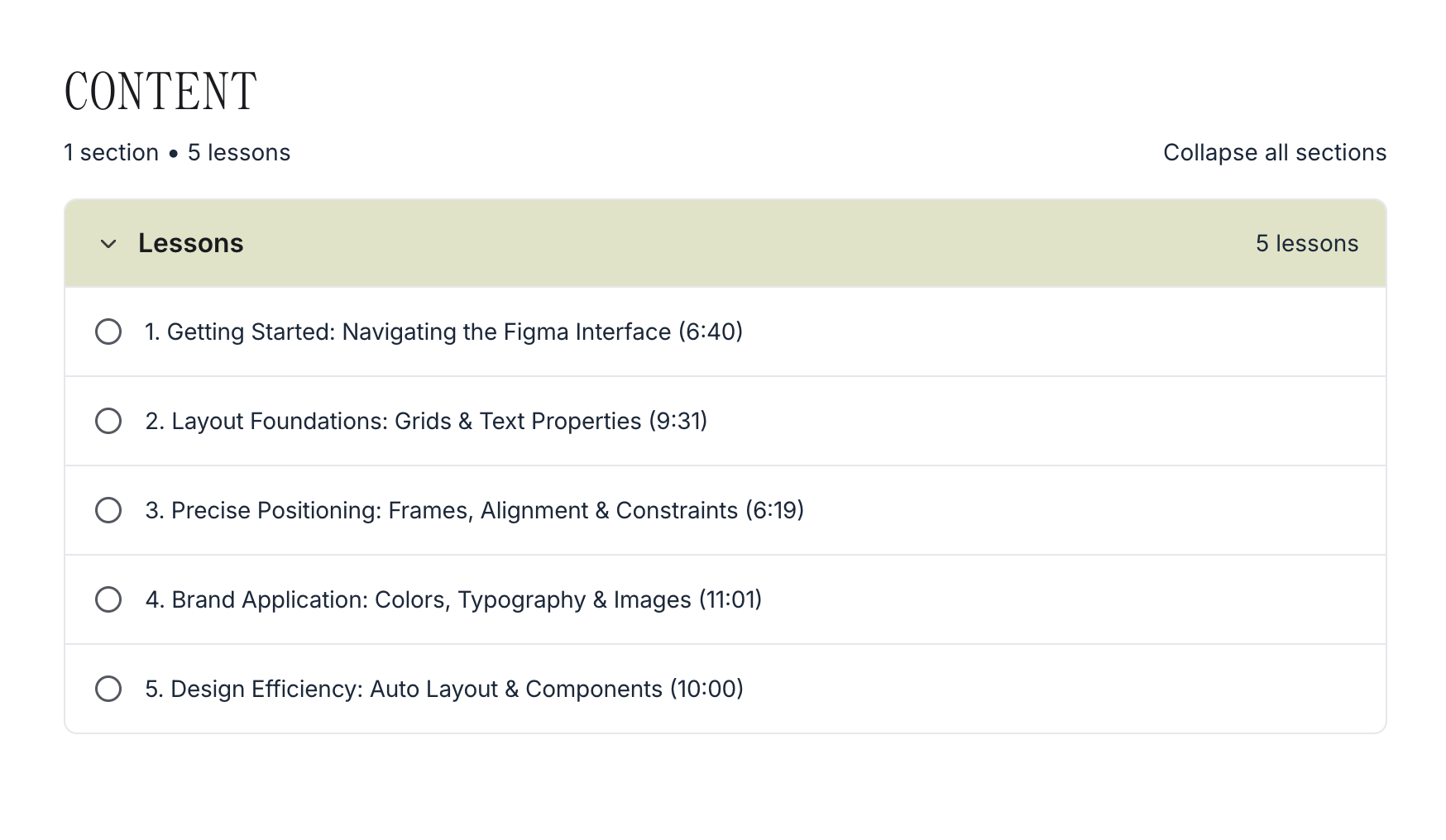
Bonus: Figma Essentials Training
A45-minute, beginner-friendly training that teaches you the features you need to start designing website layouts in Figmawithout getting overwhelmed.
Join Design Forward
$897
or two Payments of $450
or three Payments of $300
If you are a Standout Squarespace or Standout Shopify member with active support access, please check-out our community announcements for the coupon code
Prices are in US Dollars
Lifetime access includes this cohort’s core lessons, resources, and replays. Future cohorts are separate; Design Forward alumni receive 50% off future cohorts.
THE
JOURNEY
A guided path from AI curiosity to practical systems and more room for your best creative work
Design Forward is built around one focused tool, practical applications for real web design work, and the space to shape everything around your own process. Each week, you’ll receive short self-paced lessons, guided exercises, community conversation, and optional live call.
Week One
Build Your Foundation
Get introduced to Claude Skills: reusable AI systems that can hold the instructions, context, and process behind a specific task.
You’ll learn our approach to using AI without compromising the vision, perspective, and creative direction that make your work unique. Then, you’ll set up your first Skills, explore how to create your own, and get a beginner-friendly introduction to connectors—the ways AI can work with the tools you already use.
Week TWO
Shape your systems
This is where you put AI to work across your real web design process. We’ll map the journey from early strategy through project delivery, looking for the repetitive, time-consuming tasks that do not need your expert eye every single time.
You’ll work through the Skill Starter Kit and set up the done-for-you systems that fit your practice—from strategy and SEO planning to accessibility, image preparation, content, brand assets, and more. You’ll also customize them around your clients, voice, process, and preferred way of working.
Week THREE
Make Space for Play
Bring an idea that has been sitting in your wireframe, sketchbook, or “maybe someday” folder. This week is a deep dive into the Fun Feature Skill: your creative starting point for turning a concept into a custom interactive website feature.
Think quizzes, guides, stamp creators, oracle-card experiences, and branded tools designed around a client’s brand. You’ll learn how to create a copy-and-paste feature that can live within the website platforms you already use and trust, with content and settings that can remain editable after handoff.
Week FOUR
Share what you’ve built
We’ll close the camp by showcasing the Skills and ideas created inside the pop-up community. See how other web designers are using AI to solve problems, streamline their process, and bring unexpected ideas to life and share what you have been exploring, too.
The Skills Starter Kit
Vibe Feature skill
Helps you add advanced interactive features like 3D store locator, quizzes, oracle cards and more to any website platform
Web Strategy Partner
Drafts the user journey, sitemap, and core features of the website on Figma (for further editing) based on your voice notes and call transcripts
SEO Migration Planner
Maps all the URLs of a website and drafts a blueprint for transferring or redirecting links across domains or platforms to protect SEO authority.
Accessibility Checker
Identifies structural gaps in the code and recommends action plan to meet accessibility compliance (works on any web platform).
Web Image Optimizer
Ensures that every image on the website is lightweight for speed without compromising quality. Processes dozens of images in minutes.
Bulk Image Renamer
Fills in the context-rich description of image assets on your behalf for SEO and accessibility purposes.
Brand Guidelines Filler
Instantly populates any Figma or Canva template like Brand Guidelines with your assets in Figma or Canva.
What to Expect
A look inside Design Forward
BONUS training
A Friendly start in Figma
You do not need to be a Figma expert to join Design Forward and you can still use other tools that connect with Claude, including Canva. But Figma is one of my favorite tools for turning AI-assisted outputs into polished, visual deliverables, so I included this short and easy-to-follow essentials training to help you get your bearings.
In under an hour, you’ll learn the foundations you need to navigate Figma, work with layouts, apply your brand styles, and start using simple efficiency tools like Auto Layout and components.
Creativity thrives in Community
It was so helpful! I've been really torn about how to incorporate AI into my workflow while still using my brain and keeping my skills sharp. I had no idea about Claude Skills. Thank you for all your time and energy!

Hannah
Hannah Krueger Studio, hannahkruegerstudio.com
The class is very valuable Rache, and I love how you teach. You have a gift of structuring tech lesson with designer language that makes sense for us!

WYNNY
Visual Baker Design, visualbakerdesign.com
I loved everything about it! It was so much fun and I really learned a lot with your guidance. It has helped me expedite, deliver things easier, and exceed expectations from what clients were thinking they would get versus what they end up with.
DEANNA
Deanna Burks Design Studio, deannaburks.com
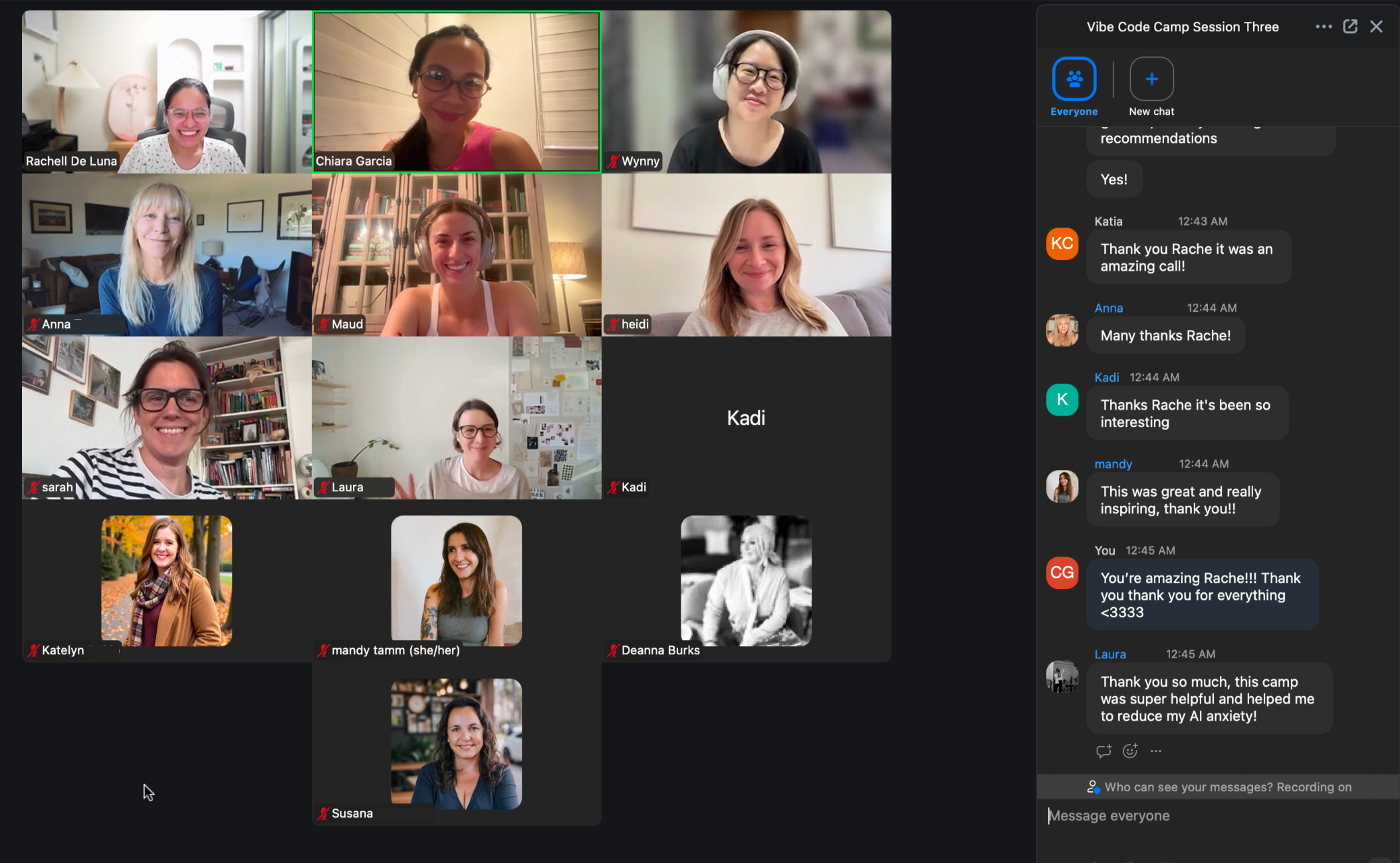
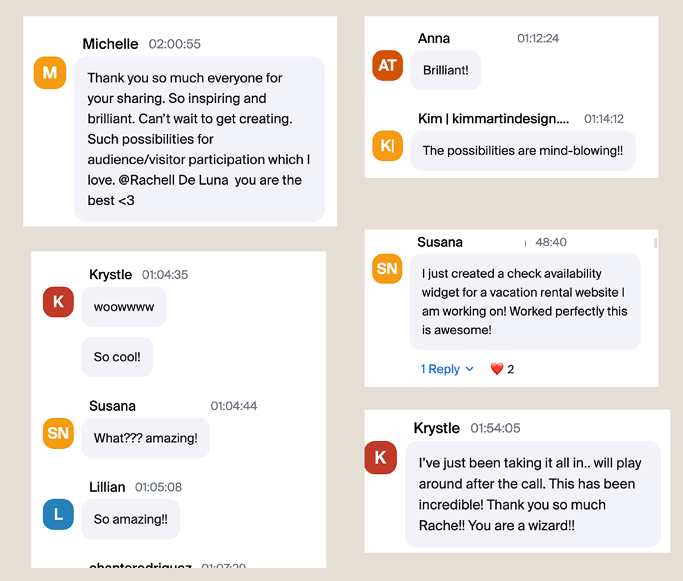
Designers in our community have used these approaches to move through projects more smoothly, deliver beyond expectations, and make more room for the work they are excited to create.
Meet your Guide
— Rache
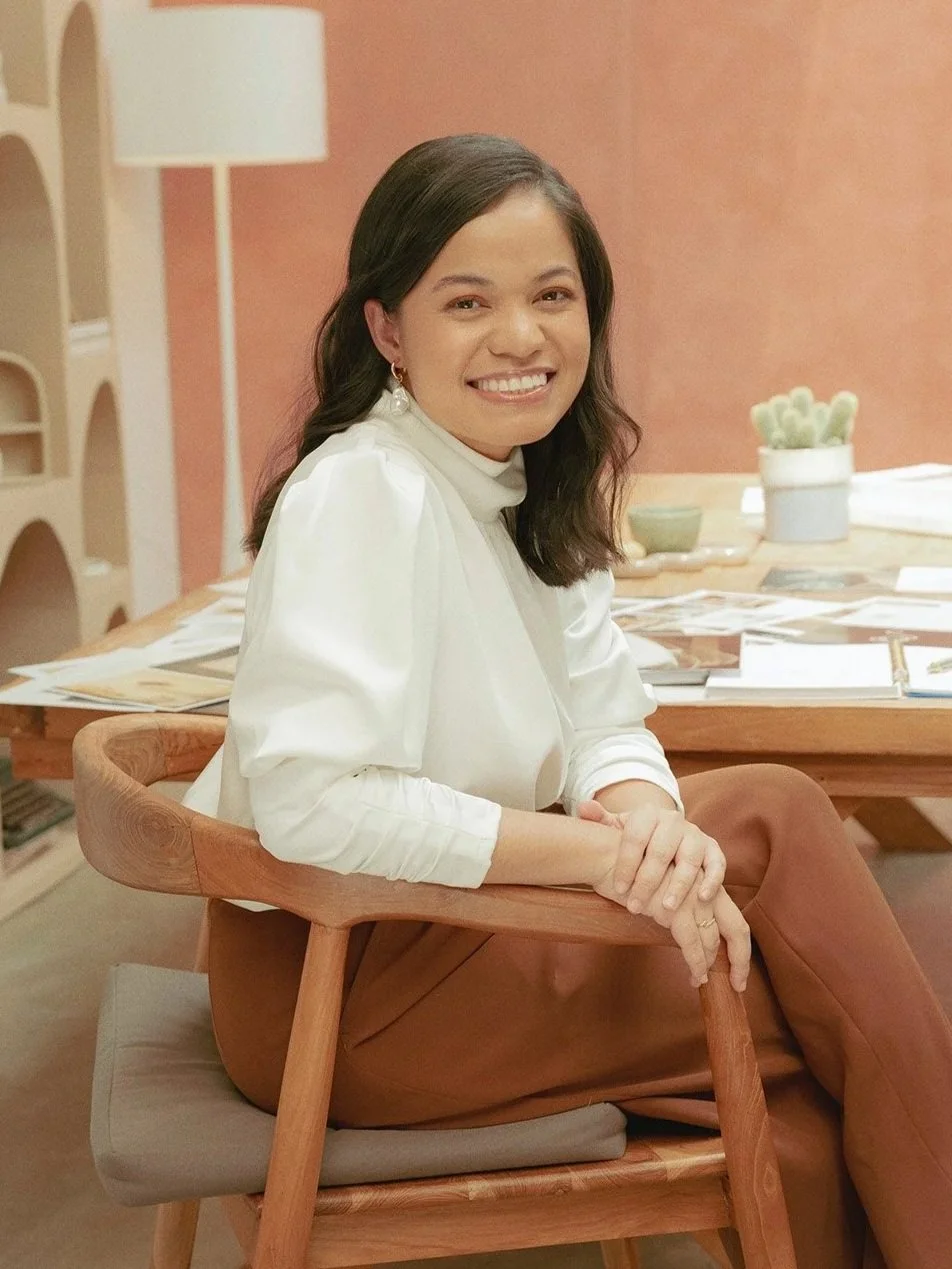
I’m a self-taught web designer, developer, and the founder of Squarestylist.
More than a decade ago, I began with zero coding knowledge and a simple curiosity: What can I learn that will help me make better websites and build a more sustainable business around the work I love?
That question has shaped my work ever since.
After years of building websites and mentoring creatives, I continue to explore the skills that help web designers stand out: the technical confidence to turn an idea into reality and the curiosity to keep expanding what is possible.
AI became part of that exploration. I use Skills to clear away repetitive work, make space for more thoughtful project decisions, and test ideas that stretch beyond a platform’s default settings.
In this workshop, I’ll share the systems, workflows, and experiments that have helped me systemize tedious tasks and bring more creative play into my work .#

Frequently Asked
Questions
-
Design Forward is primarily self-paced: short, pre-recorded lessons are released weekly over four weeks, and you’ll keep lifetime access to the lessons, Skill Starter Kit, resources, and live-call replays.
To make the most of the camp, we encourage you to move through each week’s lessons as they are released. That way, you can apply what you’re learning, bring timely questions to the community, and receive personalized support while the cohort is active.
We also host an optional live group call every Saturday 12PM EST for questions, troubleshooting, and shared learning. Each call runs for approximately 1–1.5 hours and includes a replay, timestamps, and a written summary—so you can catch up if you cannot join live.
After the four-week camp, you’ll retain access to the learning library and existing discussions for reference. New community posts and personalized support close when the active camp period ends.
-
You’ll receive lifetime access to the core lessons, resources, and live-call replays included in your Design Forward cohort.
Because Design Forward is a live, cohort-based camp, each future round may include new or updated lessons, examples, Skills, and community discussions based on the needs of that group. Those future-cohort updates are not automatically added to your existing library.
If you would like to experience a future cohort, you can rejoin at 50% off the current enrollment price as a Design Forward alum.
-
Design Forward is a 4-week camp for web designers using any web platform. You’ll use Claude Skills to streamline repeatable work across your process—from strategy and SEO tasks to image preparation and project support—and explore custom interactive features that can be added to a website through a standalone code embed. It is not about customizing existing platform elements.
Standout Squarespace and Standout Shopify are deeper platform-specific programs. They teach you how to work with, style, and extend each platform’s existing elements—such as sections, headers, blogs, themes, storefront components, and other native features. Hence, these programs also teach mastery of the platforms.
Design Forward is a great fit if you want to work more efficiently with AI, create reusable systems, and bring more experimental feature ideas to life—regardless of the platform you use.
Standout Squarespace or Standout Shopify is the better fit if your main goal is to become more advanced in one platform’s native design, development, and client-editing experience.
They complement each other well: one strengthens your platform expertise, while the other helps you build an AI-supported, more creative workflow.
-
No. Design Forward is built for web designers who are curious about AI but do not want to spend months chasing tools or learning technical jargon.
You’ll start with ready-to-use Claude Skills and receive step-by-step guidance to set them up, use them, and customize them around your process. You’ll also learn the foundations for creating simple Skills of your own. No coding experience is needed for the workflow systems.
For the Fun Feature Skill, you will work with copy-and-paste code rather than needing to build a custom app from scratch.
-
The core lessons are short and focused - no more than an hour per week. You can complete them at your own pace, but we recommend moving through the weekly material as it is released so you can apply it, ask timely questions, and make the most of the active community and personalized support.
The Saturday live call is optional and runs for approximately 1–1.5 hours. Replays, timestamps, and a written summary are available if you cannot attend.
-
No. Design Forward is for web designers on any platform. The workflow systems are designed around the broader web design process—not one website builder—so you can apply them whether you work in Squarespace, Shopify, Webflow, Kajabi, WordPress, Framer, or elsewhere.
The Fun Feature Skill creates code-based features intended to be added through a code embed or code block, rather than relying on one platform’s native components. Your platform needs to support custom code for that portion of the camp.
-
Design Forward focuses on Claude Skills, so you will need access to Claude to use and create Skills. Claude Pro is at USD 20/mo. Your existing website platform may also have requirements or plan-level limitations around code embeds.
The camp is designed to help you avoid hopping between a large number of AI tools. Instead, you will learn one practical system and apply it across your workflow. If a particular project calls for a paid widget, app, or specialized service, you will be able to make that choice intentionally rather than assuming every feature needs another subscription.
-
A Claude Skill is a reusable AI system for a task you do repeatedly. It holds the instructions, context, and process for that task, so you do not have to start from a blank chat every time.
For example, a Skill can help you prepare a website strategy, map an SEO migration, organize image assets, fill a brand-guideline template, or turn notes into a more useful project deliverable.
Inside Design Forward, you’ll focus on one practical tool—Claude Skills—rather than trying to learn a new AI platform every week. You’ll receive a library of ready-to-use systems and learn how to make them your own.
-
Design Forward is not a platform-specific styling or animation course for existing elements like headers, menus, blogs, or galleries. Instead, the Vibe Feature AI Skill in Design Forward helps you create standalone interactive features—such as quizzes, maps, calculators, guides, photobooths, countdown timer, flipbook, or branded tools—that you add through a copy-and-paste code block.
Think of these as custom widgets rather than edits to the platform itself. As long as your platform supports code embeds, you can add the feature to the site and hand it off with editable content and settings for your client.
-
Because Design Forward is a digital program with immediate access to the course curriculum and files, all enrolments are final, and we’re unable to offer refunds. Please read through the program details and FAQs before enrolling, and if you’re unsure whether Design Forward is right for you, reach out to us via the chat button at the bottom of this page or through support@squarestylist.com
Build aI systems that support your creativity
Ready to take your
Design Forward
Together, we’ll build systems for the repetitive tasks, explore new ways to bring your boldest ideas to the web, and create more space for the taste, intuition, and personal touch that make your work unique.
You do not have to figure it all out alone or become an AI expert overnight. Bring your questions, your workflows, and the ideas you have not yet known how to build.